
Whonix Setup
A security-focused two-VM system that routes all traffic through Tor by network isolation. Whonix is a persistent setup for a dedicated machine you control long-term; for an amnesic session on a shared or public machine, see Tails.
Components
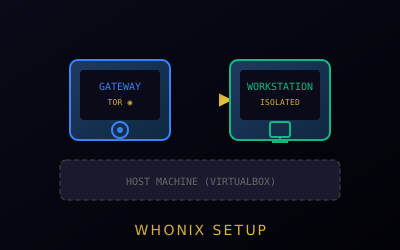
- Whonix Gateway - Routes all traffic through Tor
- Whonix Workstation - Where you work
Why Two Separate VMs
The security model depends on network isolation between the two VMs:
The Gateway handles all Tor connectivity and runs no user applications. The Workstation runs your browser and other apps but has no direct path to the internet — only a route through the Gateway.
If an application on the Workstation is compromised or leaks data, it physically cannot reach the internet directly or discover your real IP, because it has no network route there. Every packet must pass through the Gateway's Tor tunnel first.
Setup Steps
Critical: The Workstation VM's network adapter must be set to Internal Network (isolated, talking only to the Gateway VM) — never NAT or Bridged. If the Workstation has direct internet access, the entire security model is defeated: a compromised app could reach the network and leak your real IP without passing through Tor.
- Install VirtualBox or KVM
- Download Whonix images
- Import Gateway VM
- Import Workstation VM — confirm its network adapter is Internal Network, not NAT or Bridged (see warning above)
- Start Gateway first, then Workstation